AI Crawler Diagnostic Tool for Chrome
Most AI crawler checkers are a website you paste a URL into. This one runs on the page you already have open. Click the icon and you see which of 16 AI crawlers the site allows or blocks, including GPTBot, ClaudeBot, PerplexityBot and Google-Extended, and the exact robots.txt line behind each one.
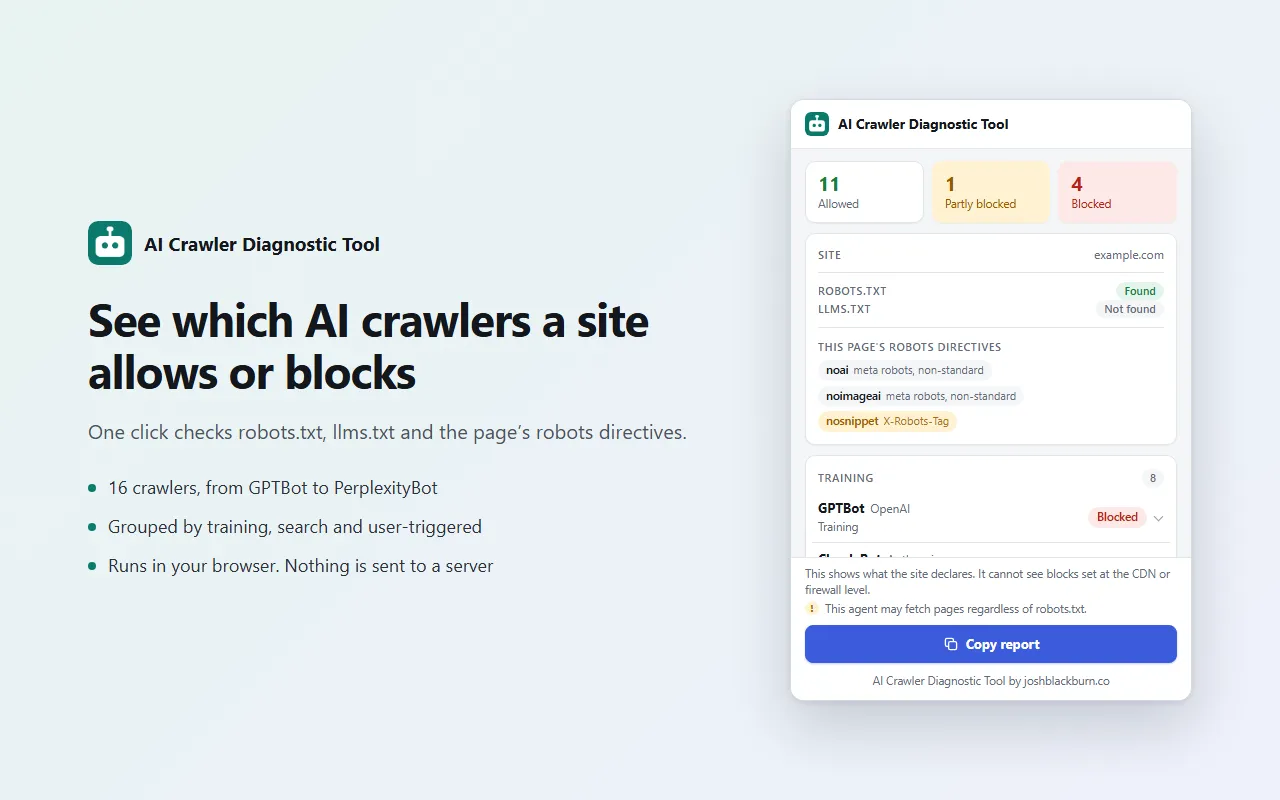
AI Crawler Diagnostic Tool is a free Chrome extension by Josh Blackburn that reads a site's robots.txt, llms.txt and page-level robots rules, and shows which AI crawlers those rules allow or block.
Why I Built It
When a site isn't showing up in AI answers, the first thing I check is whether the AI crawlers are even allowed in.
That means opening robots.txt and working out, crawler by crawler, which group applies and which rule wins.
A GPTBot group, a * group, a stray Disallow: / from a plugin. It's easy to read wrong, and I was doing it by hand on every site.
So I made it a button. It does the same check the crawlers do, for 16 of them at once.
How to Check a Site's AI Crawler Access
- Add AI Crawler Diagnostic Tool to Chrome and pin it to the toolbar.
- Open any page on the site you want to check.
- Click the icon. You get a count of allowed, partly blocked and blocked crawlers, then a row for each one.
- Open a row to see the rule that decided it, or click Copy report to paste the lot into a doc.
Check 16 AI Crawlers Against robots.txt
It works out the result the way the crawlers do, following RFC 9309.
It finds the group that names the crawler, or falls back to the * group, then applies the longest matching rule. Allow wins a tie.
Each crawler gets one of three results:
- Allowed: nothing blocks the site root or the page you're on.
- Blocked: the site root
/is disallowed for that crawler. - Partly blocked: the root is allowed, but the page you're on isn't.
The 16 crawlers are grouped by what they do:
Training
GPTBot, ClaudeBot, Google-Extended, Applebot-Extended, meta-externalagent, Amazonbot, CCBot, Bytespider
Search
OAI-SearchBot, Claude-SearchBot, PerplexityBot, Googlebot, bingbot
User-triggered
ChatGPT-User, Claude-User, Perplexity-User
That split matters. Blocking GPTBot keeps your pages out of OpenAI's training data. It doesn't keep you out of ChatGPT search, which uses OAI-SearchBot.
And sites get it wrong without meaning to.
For my AI crawler access study, I checked all 15,331 state and local .gov domains. 353 block ChatGPT search while letting Google in.
Almost none do it on purpose. Of the 423 that block OAI-SearchBot, only 11 name it.
The rest catch it with a catch-all Disallow: / at the end of a short list of crawlers they let in.
The most common of those files even lets in CCBot, a crawler that collects AI training data. So it's open to AI training and closed to AI search.
This tool makes that obvious. OAI-SearchBot shows Blocked, and the rule underneath reads Disallow: /under User-agent: *.
See the Exact Rule That Decided Each Result
Open any row and you get the robots.txt line that allowed or blocked that crawler, for the site root and for the page you're on.
It also lists any other paths disallowed for that crawler.
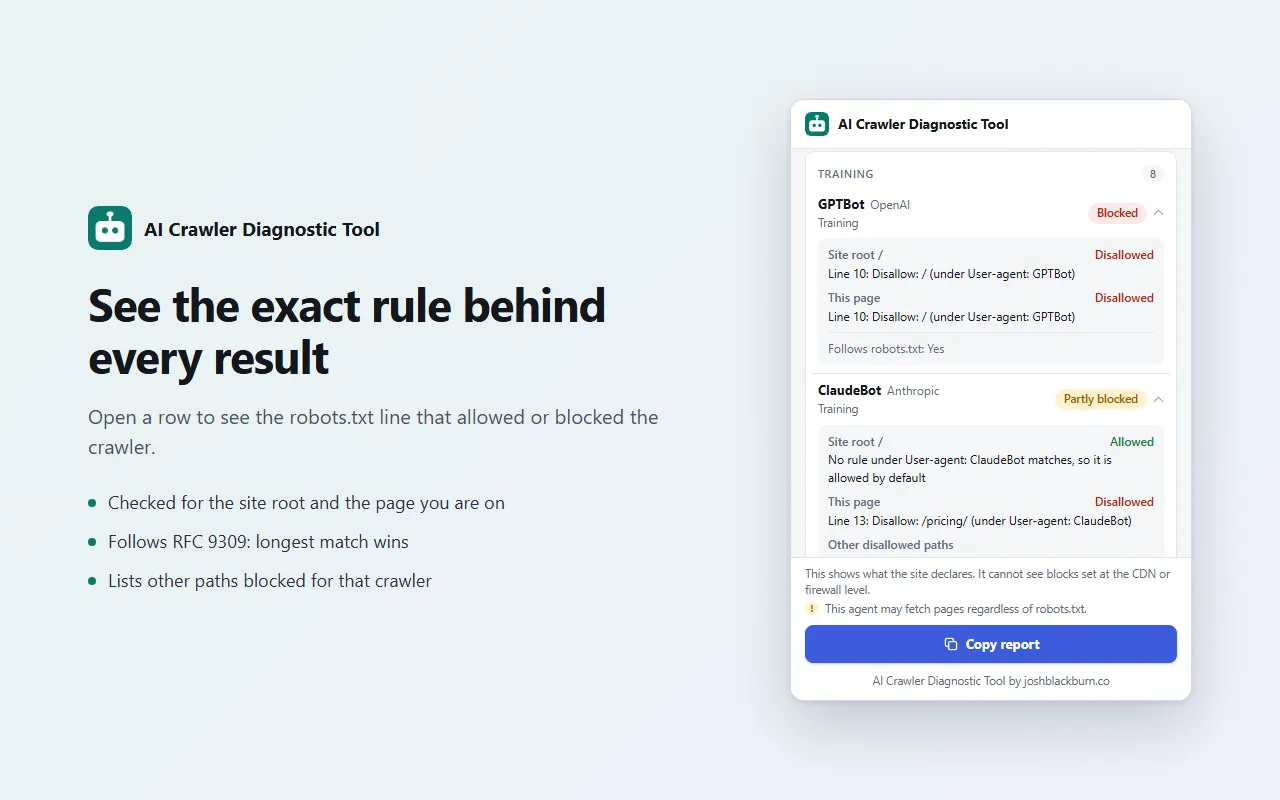
This is the sample robots.txt behind the screenshots. The page being checked is /pricing/:
# Sample robots.txt
User-agent: *
Disallow: /wp-admin/
Allow: /wp-admin/admin-ajax.php
Disallow: /cart/

User-agent: GPTBot
User-agent: CCBot
User-agent: Bytespider
Disallow: /

User-agent: ClaudeBot
Disallow: /pricing/
Disallow: /members/

User-agent: Google-Extended
Disallow: /
Allow: /blog/

Sitemap: https://example.com/sitemap.xml
GPTBot, CCBot and Bytespider share one group, so line 10 blocks all three.
ClaudeBot has its own group, so the * rules don't apply to it at all. Line 13 blocks this page only.
Google-Extended is blocked at the root, even though /blog/ is allowed.
Other disallowed paths like /wp-admin/ show in the row but don't change the result. If they did, every WordPress site would read as partly blocked.
llms.txt and Page-Level Robots Rules
The popup shows whether the site has an llms.txt file. It only says "Found" when the file is a real text file.
Some sites answer a missing file with their normal "page not found" page and a 200 status. That doesn't count.
It also reads the current page's robots meta tag and its X-Robots-Tag header. It picks out noindex, nosnippet, noai and noimageai.
The last two are labeled non-standard, because no major crawler has committed to following them.
Copy the Report
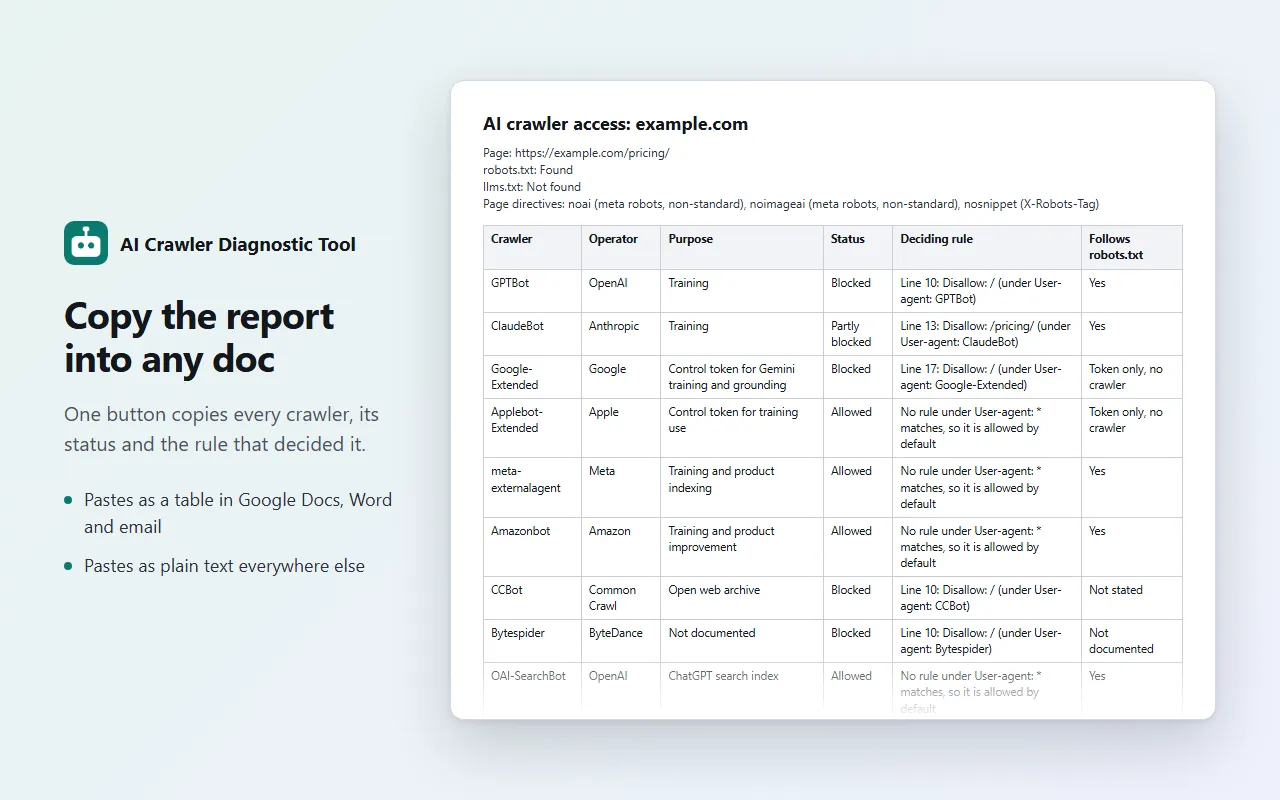
One button copies the full report: every crawler, its status, the rule that decided it and whether it follows robots.txt.
Paste it into Google Docs, Word or an email and it arrives as a table. Anywhere else, it's plain text, one line per crawler.
What This AI Crawlability Checker Can't See
It shows what the site declares. It can't see blocks set at the CDN or firewall level.
That gap is real. In the same study, 1,166 government sites turned away a request labeled GPTBot while loading fine for a normal browser.
If a row says Allowed and the crawler still isn't getting in, look at your CDN or firewall next.
Some agents don't reliably follow robots.txt anyway. ChatGPT-User and Perplexity-User fetch pages when a person asks them to, and those rows carry a warning.
It checks one site at a time, the one you're on. And it can't run on chrome:// pages, the Chrome Web Store or PDFs.
Privacy
AI Crawler Diagnostic Tool runs entirely in your browser.
When you click the icon, it requests robots.txt, llms.txt and the headers of the current page from the site you're on. That's it.
It sends nothing to any other server and collects no data. There are no accounts and no analytics.
It asks for 2 permissions: activeTab to read the current tab when you click the icon, and scripting to run its own bundled script on that page.
It saves nothing, so it doesn't ask for storage.
FAQ
What does the AI crawler checker check?
The site's robots.txt for 16 AI and search crawlers, whether the site has an llms.txt file, and the current page's robots meta tag and X-Robots-Tag header.
What does "Partly blocked" mean?
The crawler is allowed on the site's home page but blocked on the page you're on.
What does "No robots.txt" mean?
The site has no robots.txt file, so every crawler is allowed by default.
Why does it say "Could not check"?
The robots.txt request failed, returned an error, or returned a web page instead of a text file.
Does "Allowed" mean the crawler can definitely reach the site?
No. It means the site's own rules don't block it. A firewall or CDN can still block a crawler, and the extension can't see that.
Which AI crawlers ignore robots.txt?
ChatGPT-User and Perplexity-User may fetch a page when a person asks them to, regardless of robots.txt. The popup marks those rows.
How do I block AI crawlers?
Add a group to robots.txt that names the crawler, followed by Disallow: /. For example, User-agent: GPTBot then Disallow: / blocks OpenAI's training crawler. Reload the page and click the icon again to confirm the row shows Blocked.
How do I check GPTBot in robots.txt?
Open the site and click the icon. The GPTBot row shows Allowed, Blocked or Partly blocked. Open the row to see the robots.txt line that decided it.
What does it cost?
Nothing. It is free.
If it reads a robots.txt wrong, send me the URL at josh@joshblackburn.co. And if you want more like this, here are the other tools I've built.